Need to get in touch?
Email Tom (one of the founders) directly. Your email will be read, and we will respond.
tbensky@gmail.comApp/Phone Check-in Troubleshooting
Are some having trouble checking in? Have them check their phone/app settings.
We've gone through these steps many times with a variety of Android and iOS devices. They'll fix any problems!
What is Youhere?
Youhere.org is check-ins supercharged using mobile-phones. It's an app-based group check in service. How does it work?
- Group leaders (teachers, coaches, organizers, etc.) set a check-in location on a map or turn-on a Bluetooth beacon. Then specify a check-in time.
- Each participant uses an app on their phone to self "check in" to your location and time.
- Check-in logs are automatically compiled from the app check-ins.
- Eliminate the usual "roll calling" entirely.
- Just announce ... "Check-in with your phone" ... and everyone will be checked in.
If you have a large group, participants that are difficult to follow up with, or work with an unusual location, give Youhere a try. You'll love it. With Youhere, you can do paperless and accurate check-ins of any sized group in seconds.
Resources: One-page factsheet, Intro Video
Quick setup (4 steps to check-ins)
- You: Make an account here, create an event, and configure your check-in location and times.
- Your participants: Download our 100% free app (https://youhere.org/app) and use it to enroll in your event.
- Your participants: Use the app to check into your event at the right time and place.
- You: Use the check-in records compiled under your account.
Do I really need a beacon for indoor check-ins?
Most of our customers get by fine indoors without a beacon.
So, we encourage you to try Youhere at your needed indoor location, which uses a phone's built in location abilities. But be forewarned: likely 5-10% of your group will not be able to check-in. Their phones will not get a good location lock, our app will report them "out of range," and they will be blocked from checking in. You can still proceed, but be prepared with a backup plan to manually check these cases (which your Youhere account allows).
Why? A phone's location abilities works best when outside, where an open and clear view of the sky (and multiple internal sensors) is available. From our experience, these same location abilities work just 'ok' when inside.
Our Bluetooth beacon however, broadcasts its own check-in signal to within about 170 ft of where you place it, and does not use a phone's location abilities at all. It is ideal for indoor check-ins.
What if a participant doesn't have a phone?
This is unusual these days, but Youhere also allow for "manual check-in" options. Just jot their name down and manually check them in when you get back to your desk.
Website vs. App
- The Website (Youhere.org) is for group leaders to manage check-ins (and view records). There are no participant services on the website.
- The App is what your participants use on their phones to check in. There are no administration services on the app.
- The people checking-in only use the app. They do not make an account at Youhere.org.
Checking-in, but what about checking-out?
Youhere is great for people checking in. But what about checking out again? There are a few ways to do this:
- Two check-in windows: Add a second "check-in" time to your event (e.g., 10:00-10:05 and 10:55-11:00). Participants check-in as they arrive and again as they leave.
- Restricted mode: Set a limit of 2 check-ins with a minimum time gap between them (e.g., 45 minutes for a 1-hour session).
- In/Out Events: Create two events (e.g., "Meeting-In" and "Meeting-Out") and have participants enroll in both.
- Unrestricted mode: Allow unlimited checking-in and manually process the logs based on the recorded timestamps.
What about check-in reports?
Participant check-ins are collected into your Youhere account. There are many reporting options available to you. All reports are compiled instantly and in real-time, and are always free and available to you.
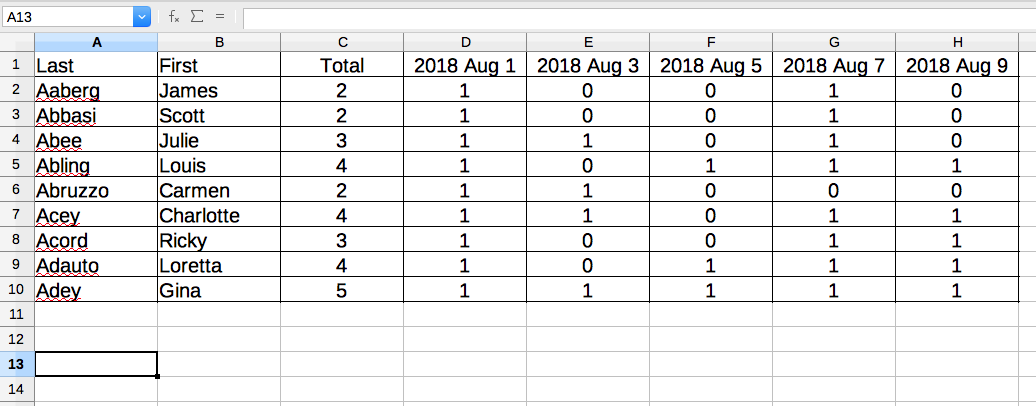
Export to Excel (.csv)
Every check-in collected can be sent to you in a single .csv file for storage or import into other systems.
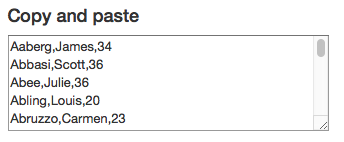
Quick copy and paste
Copy-and-paste text-boxes are placed throughout reporting pages for quick data transfer.
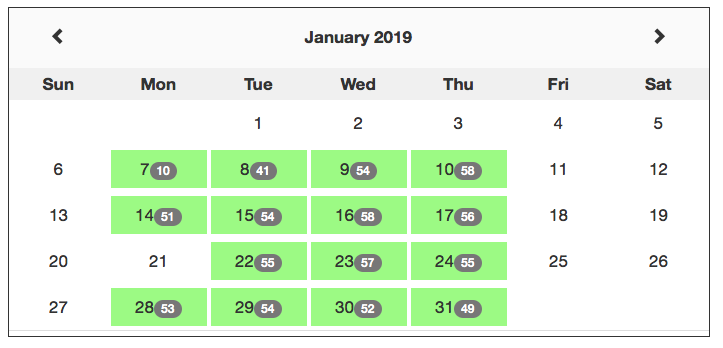
Convenient online views
Group-wide calendars, member-by-member lists, and individual calendars are all available.
Data Explorer
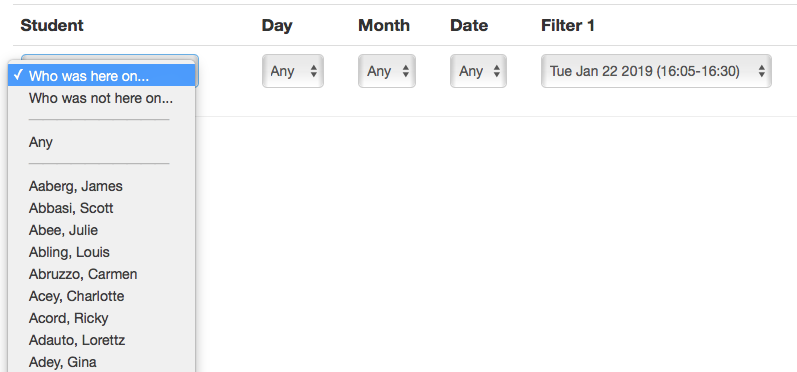
Construct custom views of your logs using specific date and time ranges.